What Is Responsive Web Design & Why It Matters

Introduction
Have you ever opened a website on your phone only to find yourself pinching and zooming because the text is too small, or the layout is broken? That’s the problem responsive web design solves. In today’s world, people don’t just browse on desktop computers, most visits come from mobile devices. If your website doesn’t adapt, you’ll lose visitors, customers, and even Google rankings.
In this blog, we’ll break down what responsive web design is, why it matters, and how small business owners can take action.
What Is Responsive Web Design?
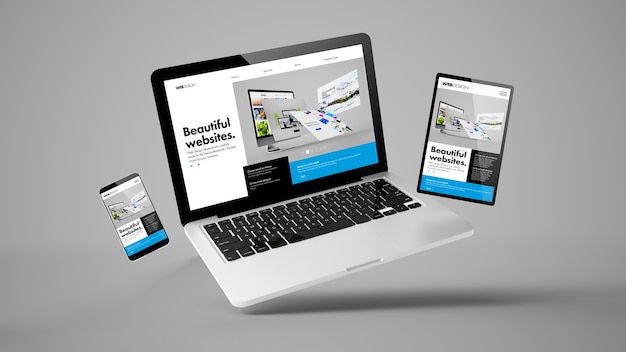
Responsive Web Design (RWD) is the approach of building a website that automatically adapts to different devices such as desktop, tablet, and mobile without breaking the layout. Instead of designing separate versions for each screen size, one flexible design adjusts fluidly.
Think of it like water in a glass, it takes the shape of whatever container it’s poured into. Responsive websites take the “shape” of the device they’re viewed on.
Why Does Responsive Design Matter?
1. Mobile-First Indexing
Google now primarily uses the mobile version of websites for ranking. If your site isn’t responsive, your SEO takes a hit.
👉 Google Mobile-First Indexing Guide
2. User Experience
People expect smooth browsing. If a visitor can’t navigate your website easily on mobile, they’ll leave. A higher bounce rate tells Google your site isn’t useful, lowering your ranking.
3. Conversions & Trust
A well-structured, responsive site feels more professional. For small businesses, this builds credibility and makes visitors more likely to become paying customers.
4. Cost-Effective
Maintaining one responsive website is easier and cheaper than building multiple versions for mobile and desktop.
Real-World Example
Imagine a local bakery with a non-responsive site. Customers trying to place an order from their phone struggle with tiny buttons and slow loading. They leave and order from a competitor with a mobile-friendly site.
Now imagine the opposite, the same bakery has a responsive design. Customers browse menus easily, click “Order Now” on their phone, and make a purchase instantly. The difference? Revenue and trust.
How to Make Your Website Responsive
- Choose a Responsive Theme
If you’re on WordPress, select a theme built with responsive design in mind. Many modern themes (like Astra or GeneratePress) adjust automatically.
👉 SEO Basics for Small Business Owners - Test Your Site Speed & Mobile Friendliness
A slow website hurts responsiveness. Use tools like:
- Use Flexible Images & Layouts
Upload images that scale automatically. Avoid fixed-width designs. - Optimize for Touchscreens
Buttons should be large enough for fingers to tap, not just for mouse clicks. - Regularly Test Across Devices
Check how your site looks on phones, tablets, and desktops.
Quick Action Plan for Small Businesses
- Test your site here: Google Mobile-Friendly Test
- Switch to a responsive WordPress theme.
- Optimize images and site speed.
- Update old content layouts for better readability on mobile.
- Review analytics to see which devices your visitors use most.
👉 Want to learn more about mobile optimization? Read my article: The Role of Mobile Optimization in Website Rankings
Conclusion
Responsive web design isn’t just a trend, it’s a necessity. In a world where smartphones are the main way people browse, a responsive website means better rankings, better user experience, and better business results.
So, if you’re serious about growth, start by making your website responsive. The effort you put in today will pay off in visibility, credibility, and conversions tomorrow.